
Connect Re-Twin to your AI assistant
Connect Re-Twin to Claude, ChatGPT or Gemini, then ask questions about your projects, scenarios and simulation results in plain language. The connection is read-only: the assistant can look at your data, but it cannot change or delete anything.
Server URL (the same for every assistant):
https://mcp.re-twin.energy/mcp
Copy it exactly, including /mcp at the end.
Jump to: Claude · ChatGPT · Gemini · Try it · Troubleshooting
Before you start
- A Re-Twin account on the Expert or Enterprise plan.
- An account with your assistant that allows custom connectors. If you do not see the option, your plan or your organisation's admin settings may not allow it.
How it works
Add the connector → Sign in to Re-Twin → Allow access → Ask your questions
You add the server URL once. After that, the assistant sends you to Re-Twin to sign in and approve the connection. You do not need a client ID, a key or a password for the assistant.
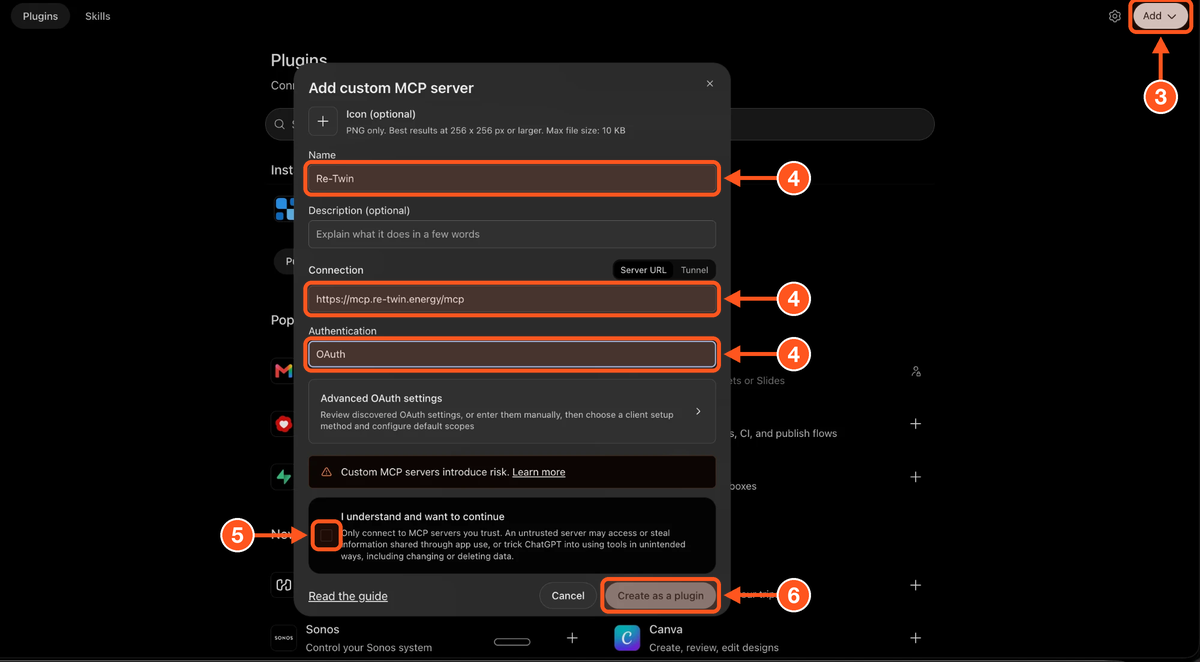
Each screenshot below has numbered arrows. The numbers match the steps in the text.
Claude
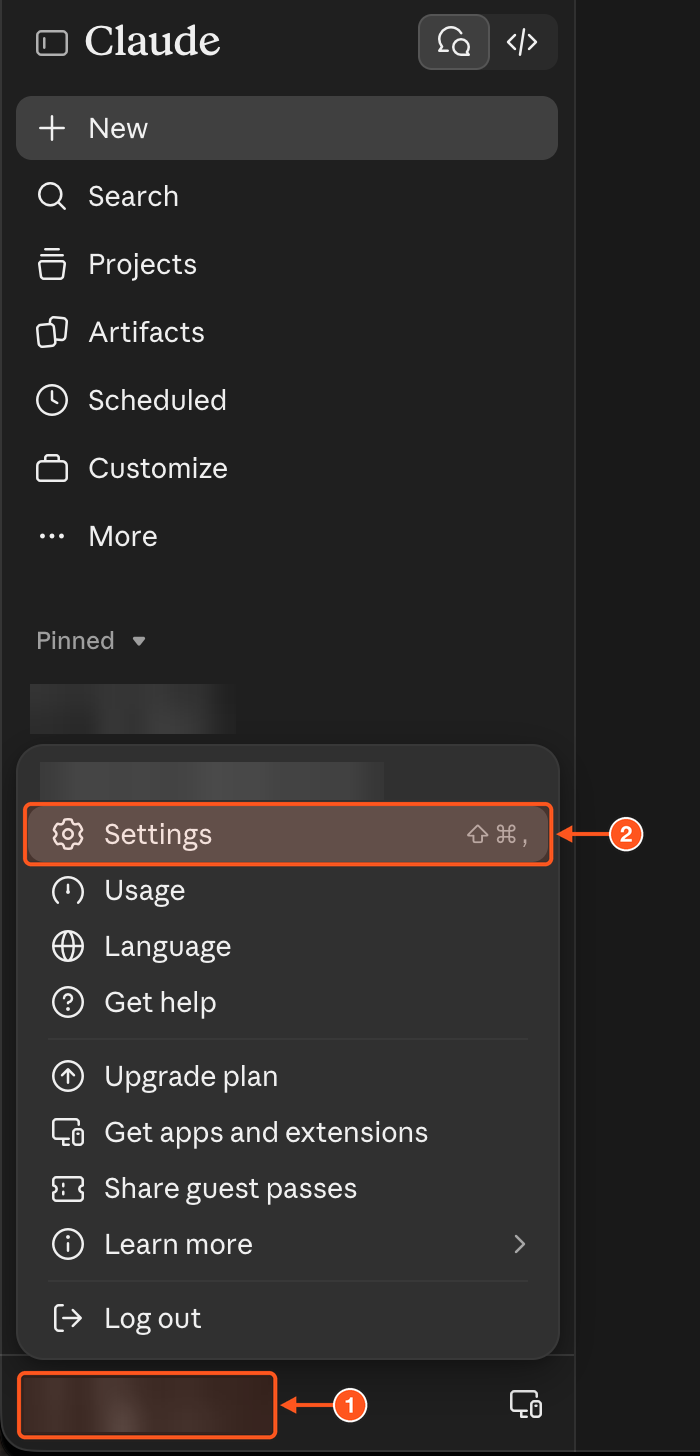
1. Click your profile at the bottom left of Claude.
2. Click Settings.
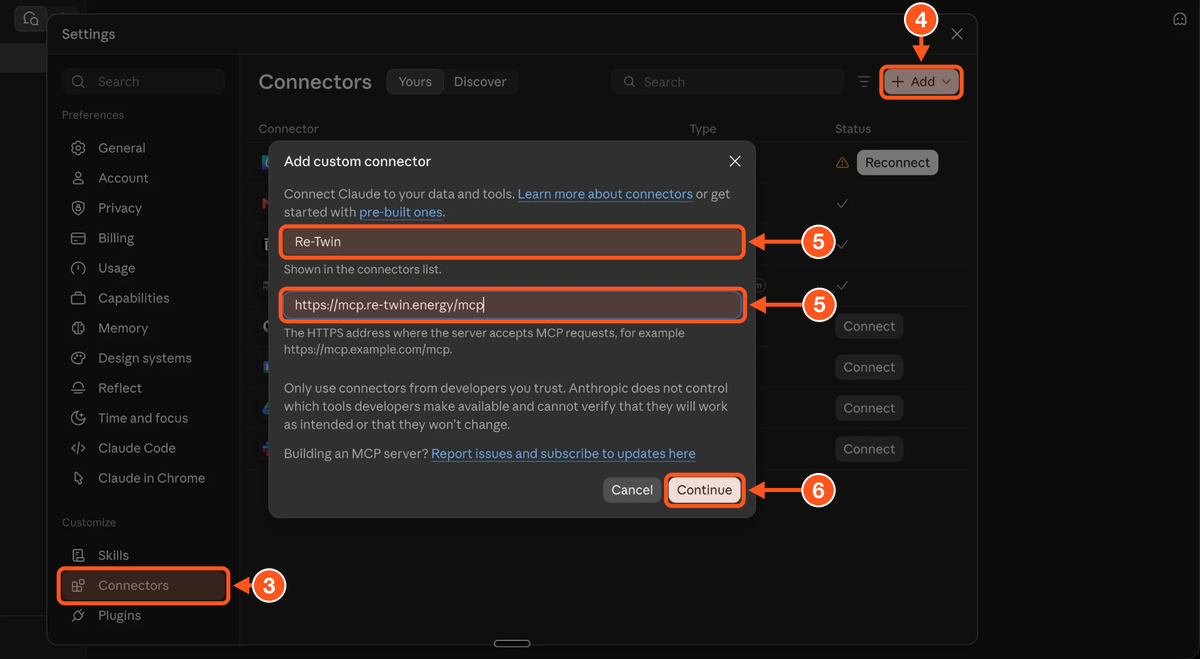
3. Open Connectors in the settings list.
4. Click Add, then choose Add custom connector.
5. Enter the name Re-Twin and paste the server URL https://mcp.re-twin.energy/mcp.
6. Click Continue.
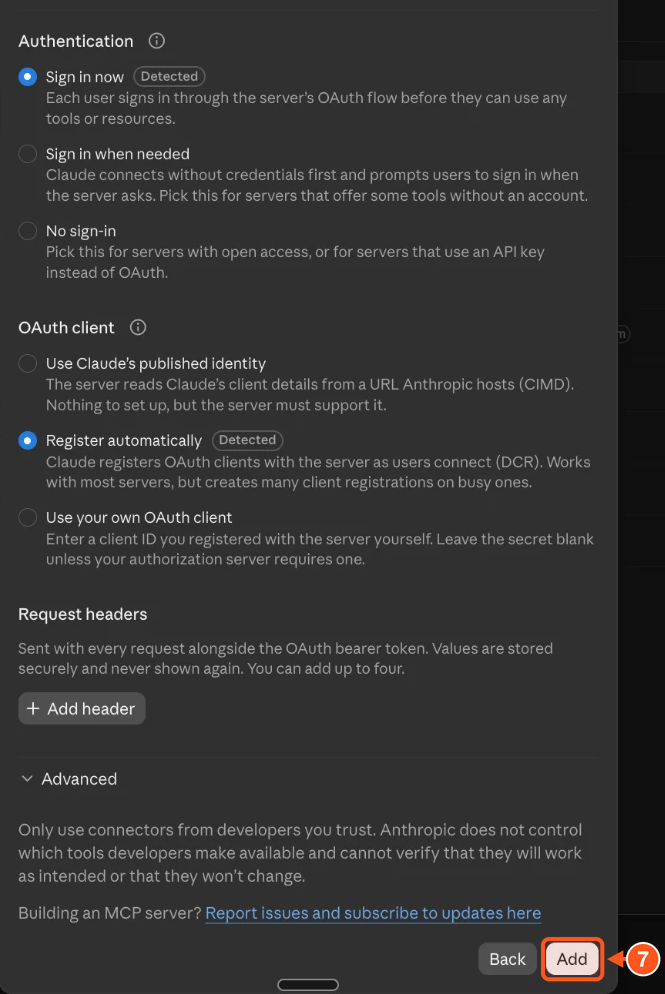
7. Leave the detected options as they are (Sign in now and Register automatically) and click Add.
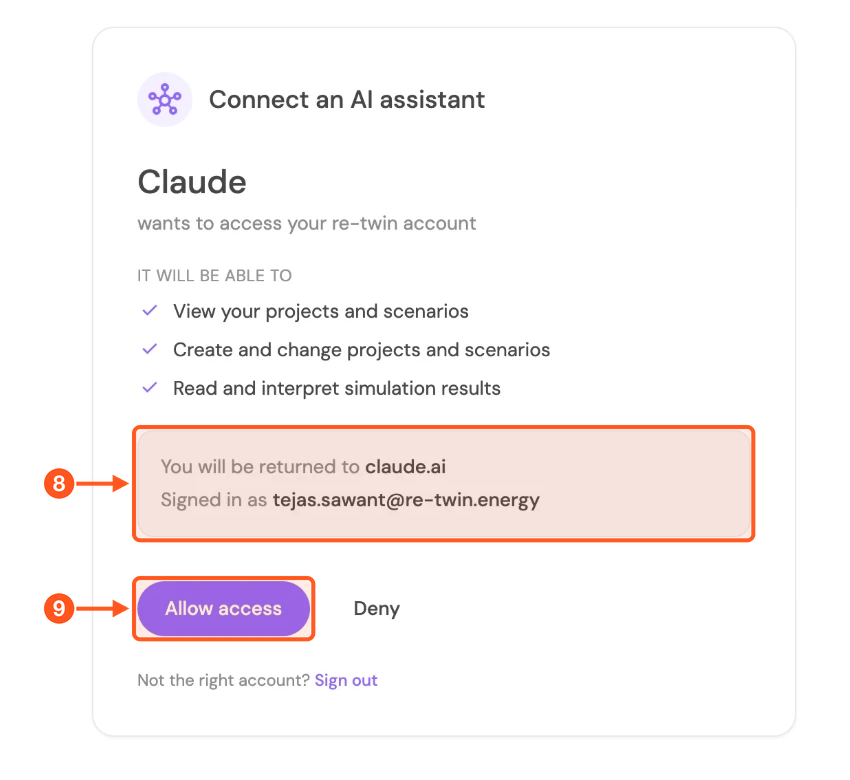
8. Claude opens Re-Twin in your browser. If you are not signed in, sign in with your usual Re-Twin account first. Then check that Signed in as shows the account you want to connect. If not, click Sign out and sign in with the right one.
9. Click Allow access. You are sent back to Claude.
ChatGPT
1. Click your profile at the bottom left of ChatGPT, then click Settings.
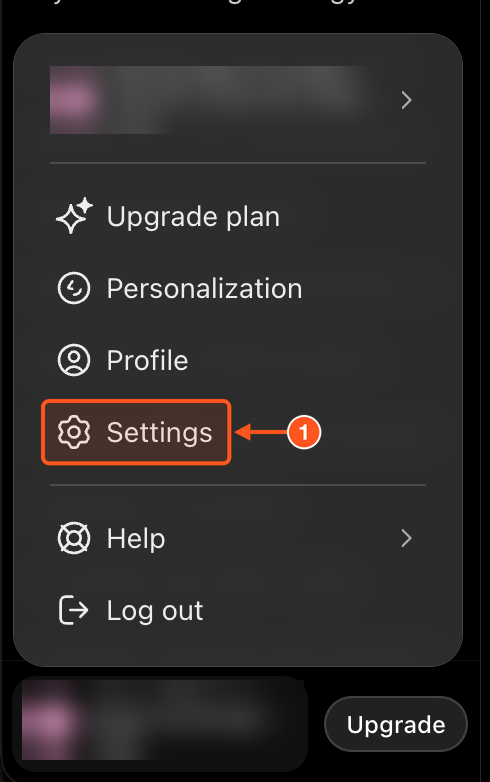
2. Under Integrations, click Plugins.
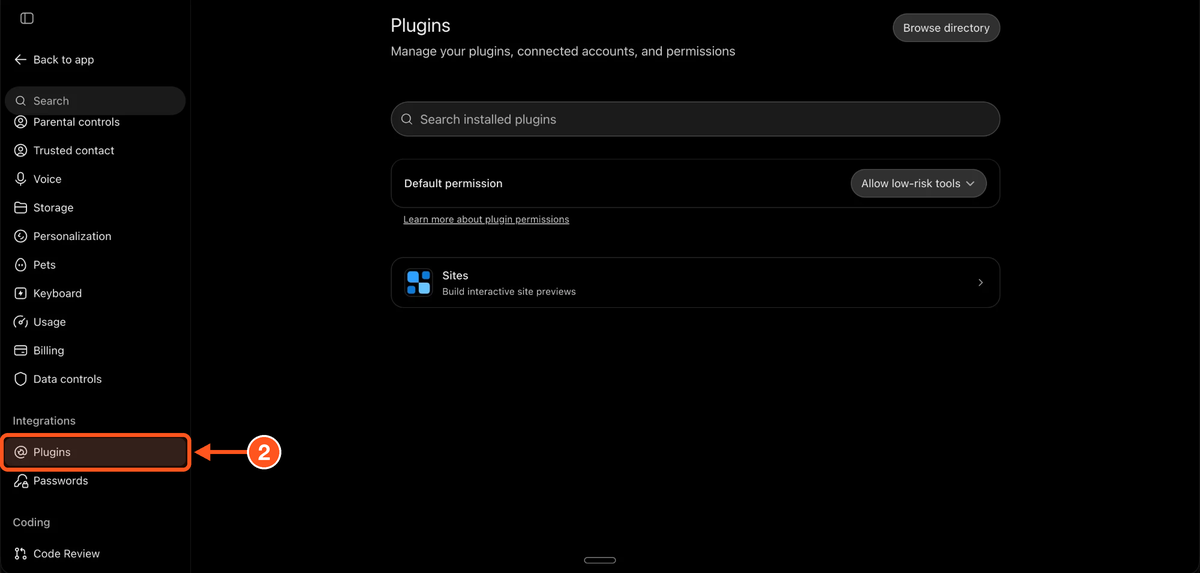
3. Click Add (top right) and choose Add custom MCP server.
4. Fill in the form: Name Re-Twin, Connection set to Server URL with https://mcp.re-twin.energy/mcp, and Authentication set to OAuth.
5. Tick I understand and want to continue.
6. Click Create as a plugin.
7. In the Connect Re-Twin window, click Connect Re-Twin.
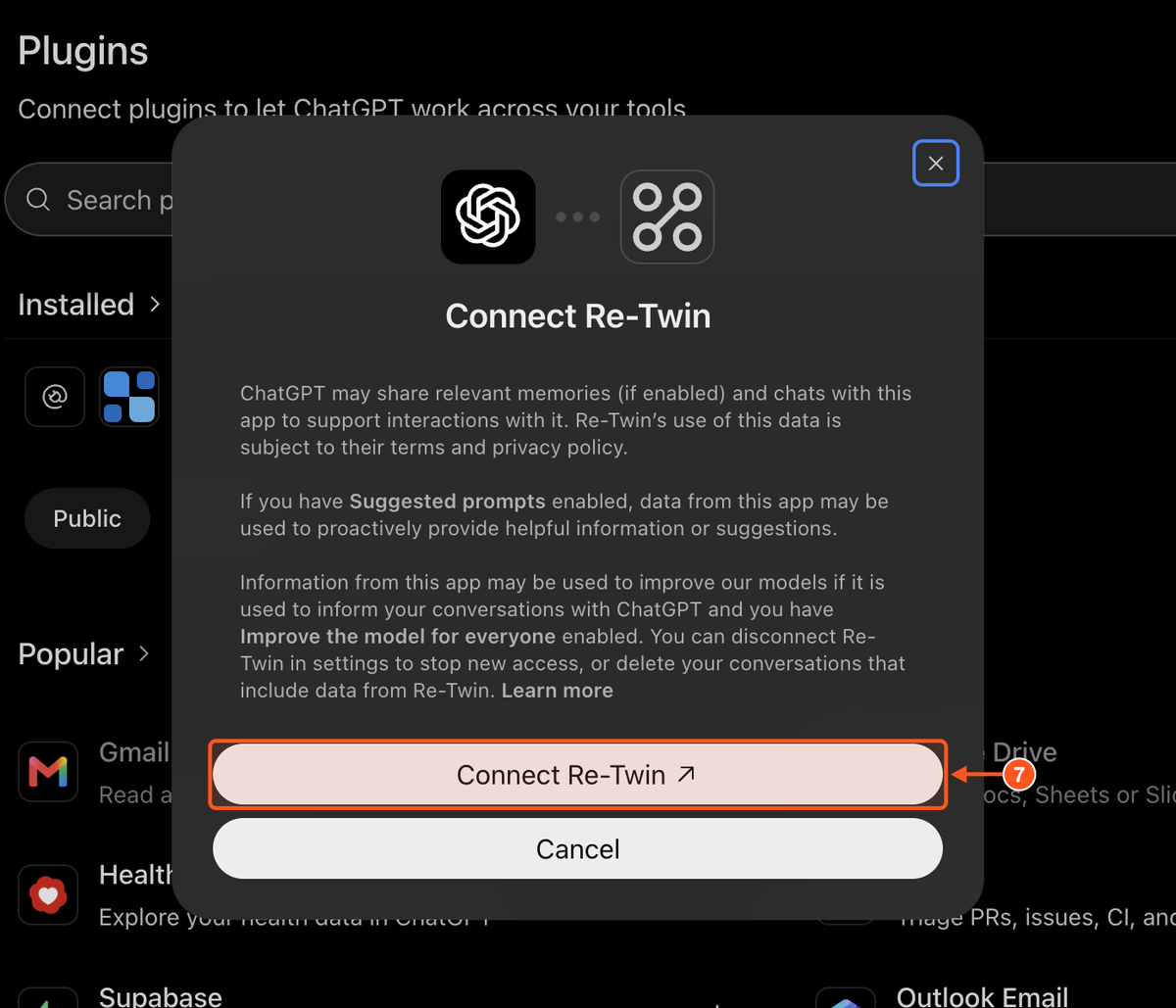
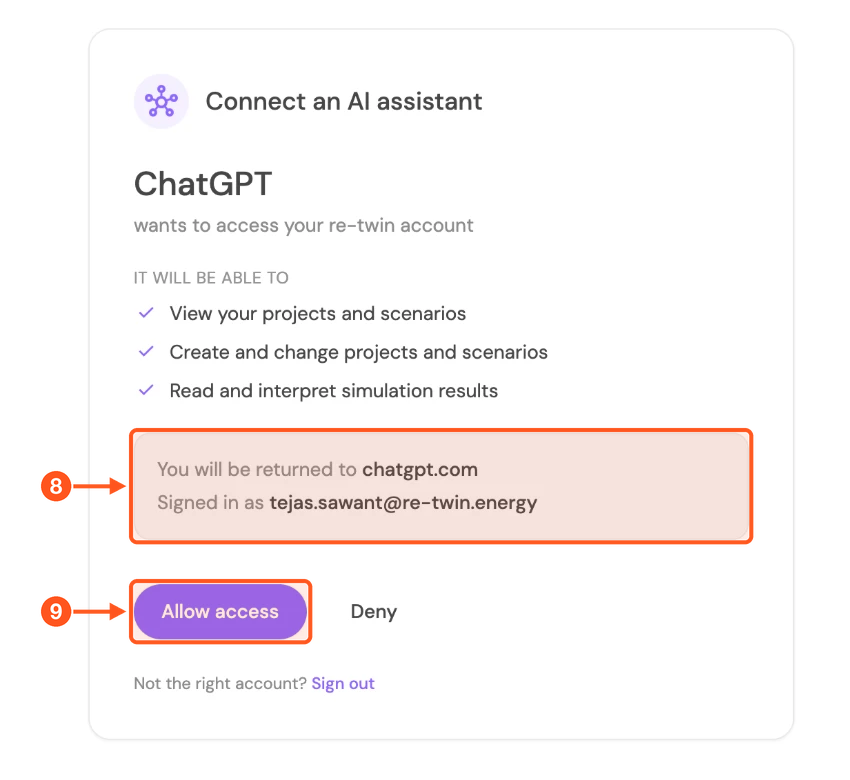
8. ChatGPT opens Re-Twin in your browser. If you are not signed in, sign in with your usual Re-Twin account first. Then check that Signed in as shows the account you want to connect. If not, click Sign out and sign in with the right one.
9. Click Allow access. You are sent back to ChatGPT.
Gemini
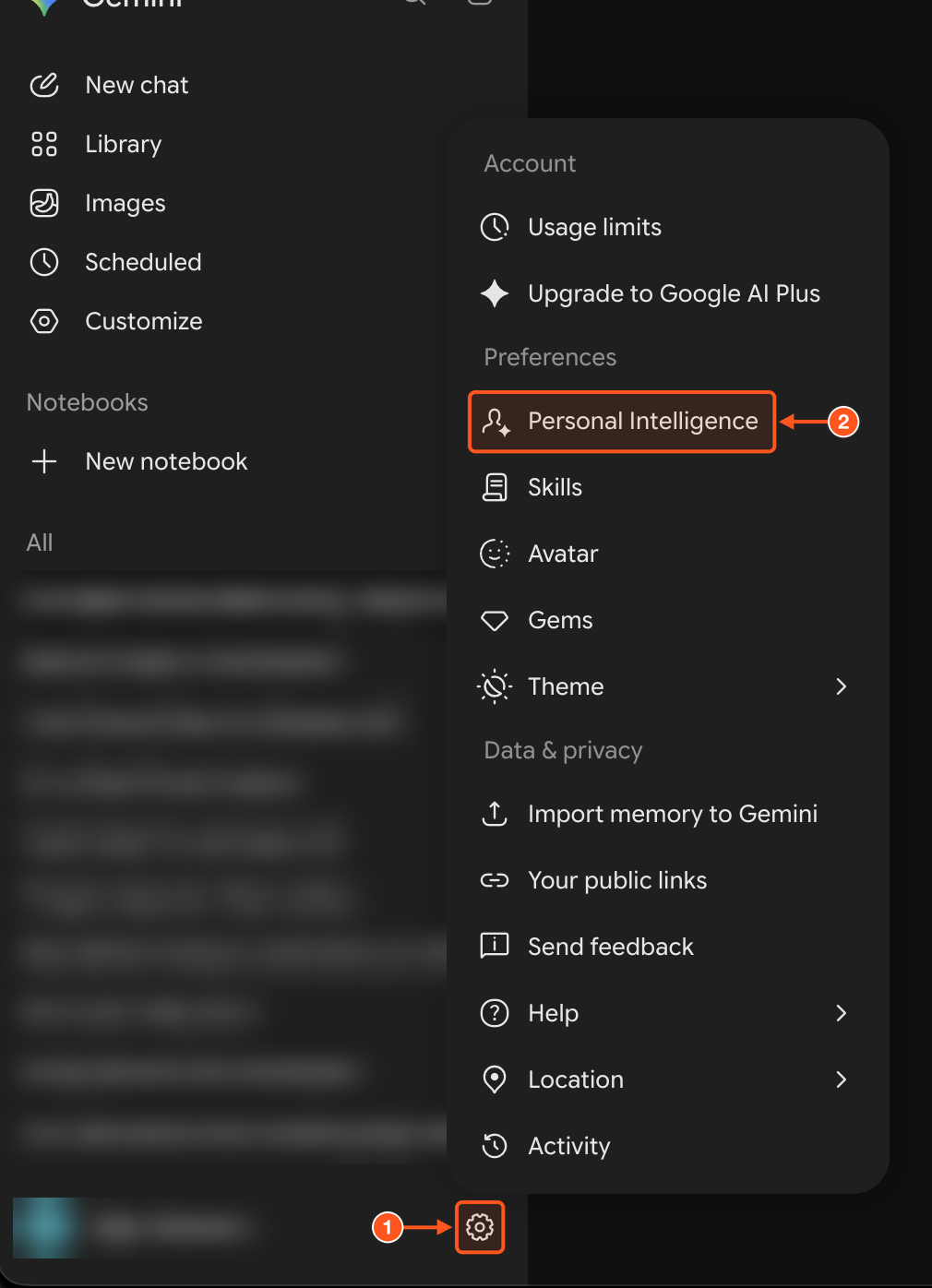
1. Click the settings icon at the bottom left of Gemini.
2. Click Personal Intelligence.
3. Open Connected Apps.
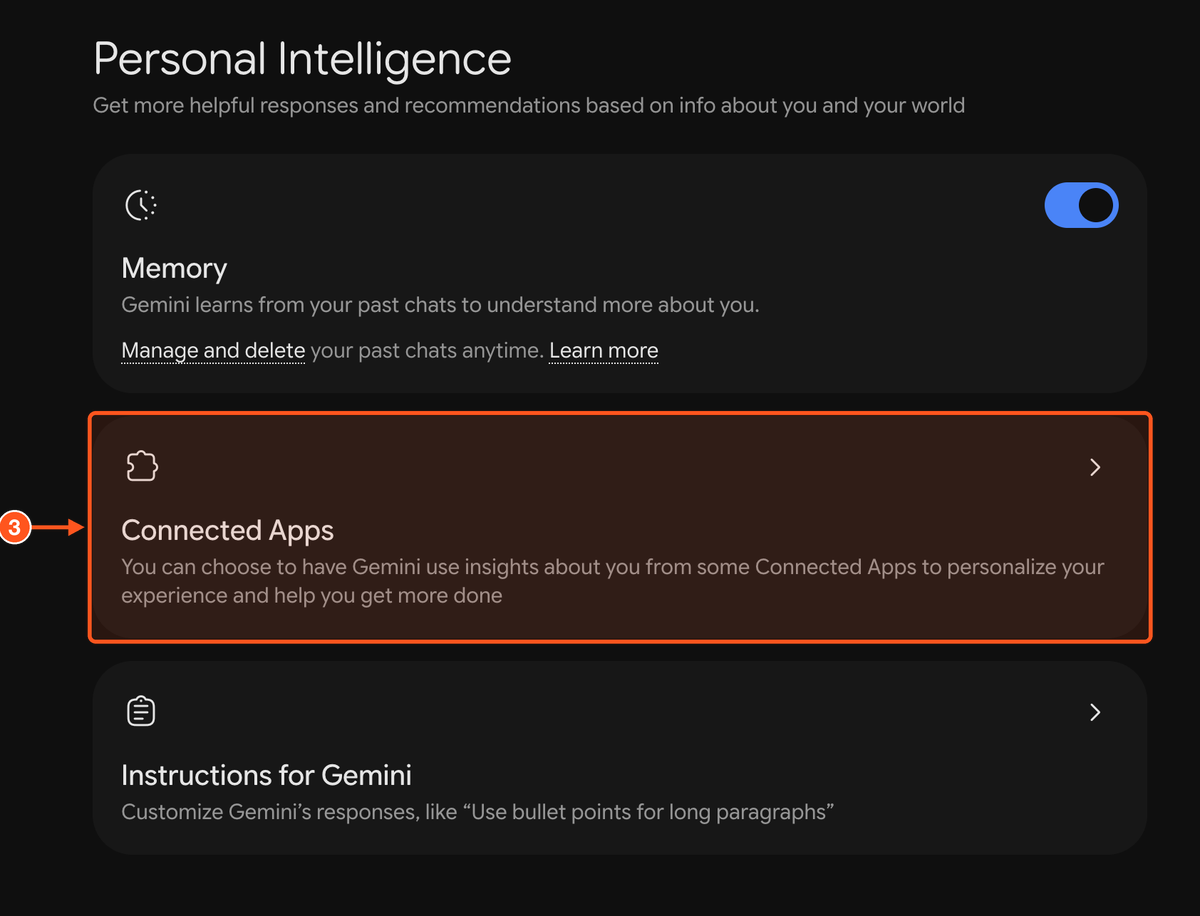
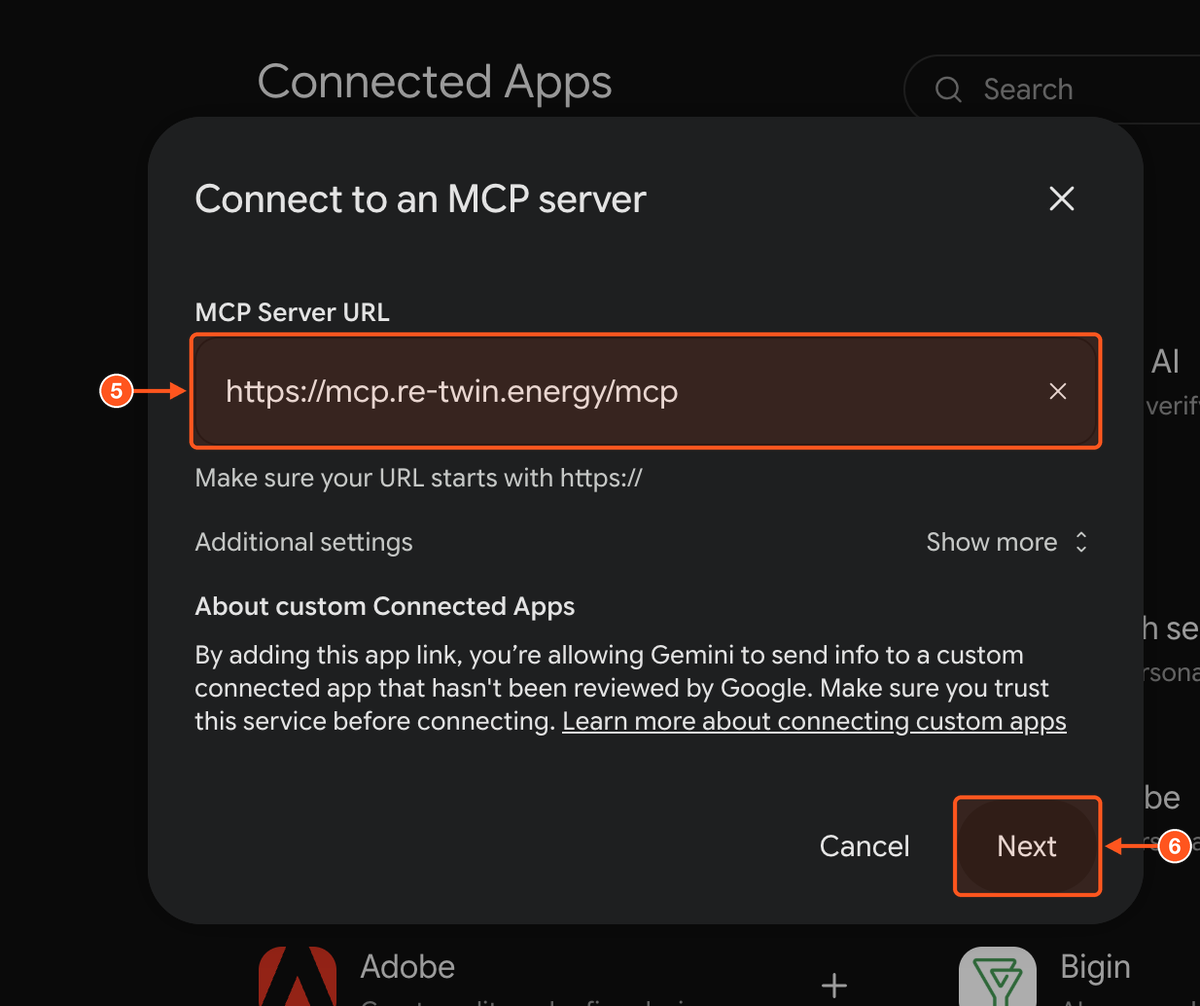
4. On the Connected Apps page, add a custom app. A Connect to an MCP server window opens.
5. Paste the server URL https://mcp.re-twin.energy/mcp and leave Additional settings as they are.
6. Click Next.
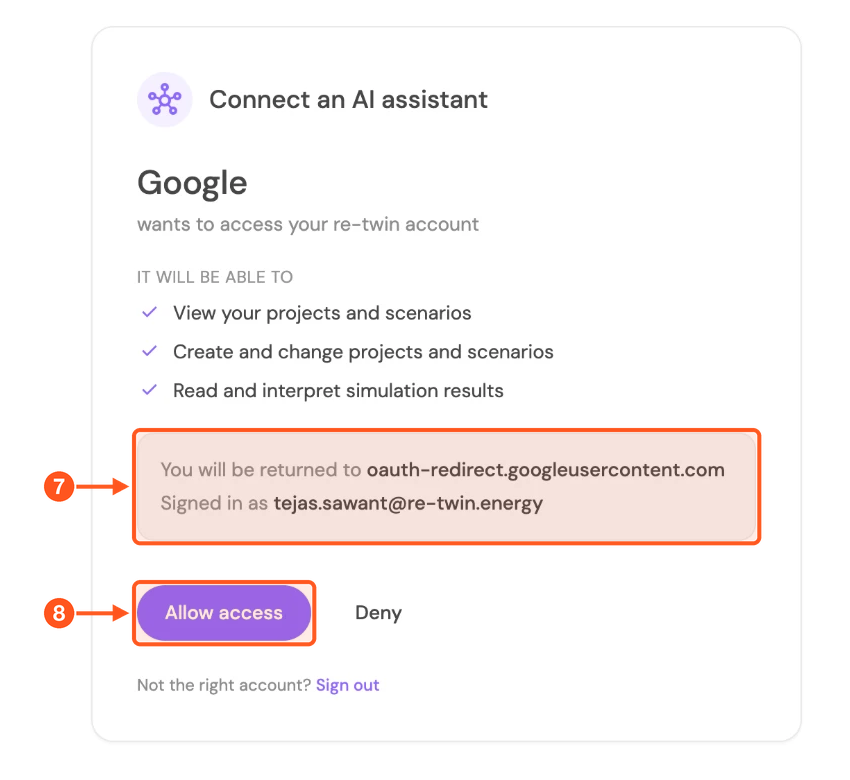
7. Gemini opens Re-Twin in your browser. If you are not signed in, sign in with your usual Re-Twin account first. Then check that Signed in as shows the account you want to connect. If not, click Sign out and sign in with the right one.
8. Click Allow access. You are sent back to Gemini. The page names the requester as Google, which is how Gemini appears.
Try it
Start a new chat and ask, for example:
- "List my Re-Twin projects."
- "Show me the scenarios in my project
." - "Summarise the results of the latest completed run in
."
If the assistant does not use Re-Twin, check that Re-Twin is switched on for that chat in the assistant's connectors or plugins menu.
What the assistant can see. The same projects, scenarios and results you can open in Re-Twin, and nothing that is not shared with your account. Results are summarised to fit the assistant's context.
Disconnecting. Remove Re-Twin from the page where you added it: Connectors in Claude, Plugins in ChatGPT, Connected Apps in Gemini.
Troubleshooting
| What you see | What to do |
|---|---|
| "The Re-Twin AI connector is available on the Expert and Enterprise plans." | Your Re-Twin account is on a lower plan. Upgrade, or connect with an account that is on Expert or Enterprise. |
| No option to add a custom connector | Your assistant plan or organisation settings may not allow custom connectors. Ask your admin. |
| The assistant stops returning data after a long break | Connections expire after 30 days without use. Remove Re-Twin and add it again. |
| "Not found, or not shared with this account." | The project is not shared with the account you connected. Open it in Re-Twin to check access. |